
3 New Ways to Start a Screenplay in FinalBit
Updated on


 @finalbitai
 @finalbitai
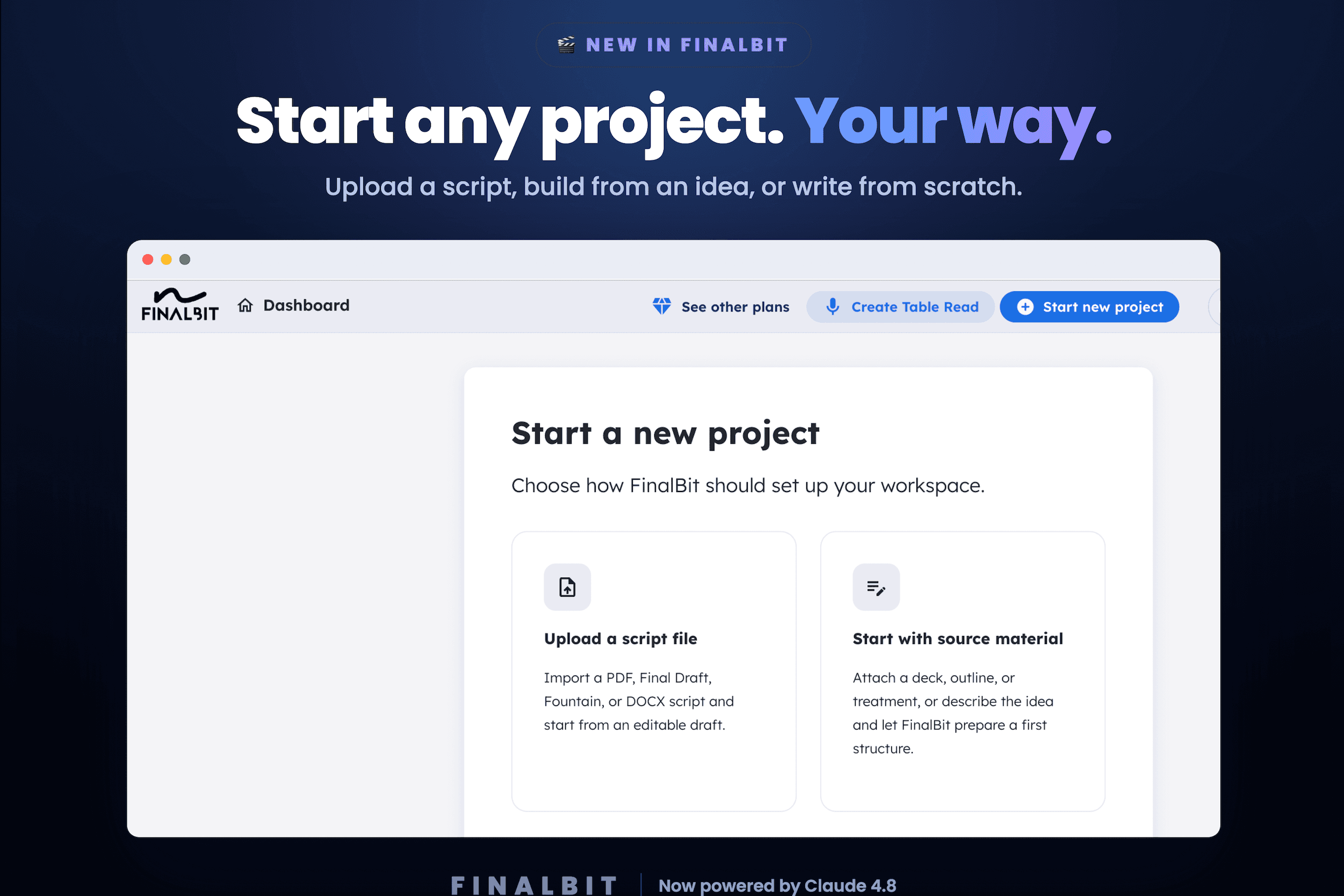
FinalBit now gives you three ways to start a screenplay project** — upload an existing script, turn an outline, pitch deck, or idea into a structured screenplay, or write from a blank editor. Because no two stories begin the same way, and your tool shouldn't force one path.
Here's what's new, and how to pick the right starting point for your project.
1) Upload a script — import PDF, Final Draft
Already have a draft? Don't retype a word. Import a PDF or Final Draft (.fdx) file and FinalBit turns it into a fully editable screenplay in seconds — properly formatted, scene by scene.
It's the fastest way to bring an existing project into FinalBit and immediately start working: breaking it down, scheduling it, and storyboarding it.
Best for: writers, producers or directors with a finished or in-progress draft who want to stop juggling separate tools.
2) Start from source material — turn an outline, pitch deck, or idea in any format into a screenplay
This is the big one. Have a pitch deck, sketch, outline, or treatment — or just an idea in your head? Attach it (or simply describe it), and FinalBit reads your material, identifies the story, and **builds a structured, act-by-act outline** for you to review.
You stay in control the whole way:
- See the outline before anything is created
- Regenerate any beat you don't love
- Approve it, and FinalBit expands it into a full multi-act screenplay (up to ~36 scenes) — ready to break down, schedule, and storyboard

Best for: turning a rough idea into a real draft, fast.
3) Start from a blank page
Prefer to just write? Open the editor and start on page one. It formats as you type, like a normal screenwriting tool.
Best for: writers who like to write it themselves.
What happens next
Once your script is in FinalBit, one click takes it from **script → breakdown → schedule → budget → storyboard**. Everything's connected, so a change in one place updates the rest.
This is where FinalBit replaces Movie Magic, StudioBinder, and Final Draft — and saves you up to 80% on pre-production tools.
Start your next screenplay — your way
Upload a script, turn an idea into one, or write from scratch. FinalBit takes it from blank page to full pre-production, all in one place.